
Think about the last time something around the house broke at an inconvenient hour. There was probably a moment where you needed a phone number you used to have. The plumber from two years ago who fixed that exact problem. The electrician your neighbor recommended. The HVAC guy who actually shows up on time.
Some of those numbers are in your phone contacts under "John Plumber." Some are scribbled on a magnet on the fridge. Some are in an email thread from 2022. A few are sitting in a folder of paper invoices in your kitchen.
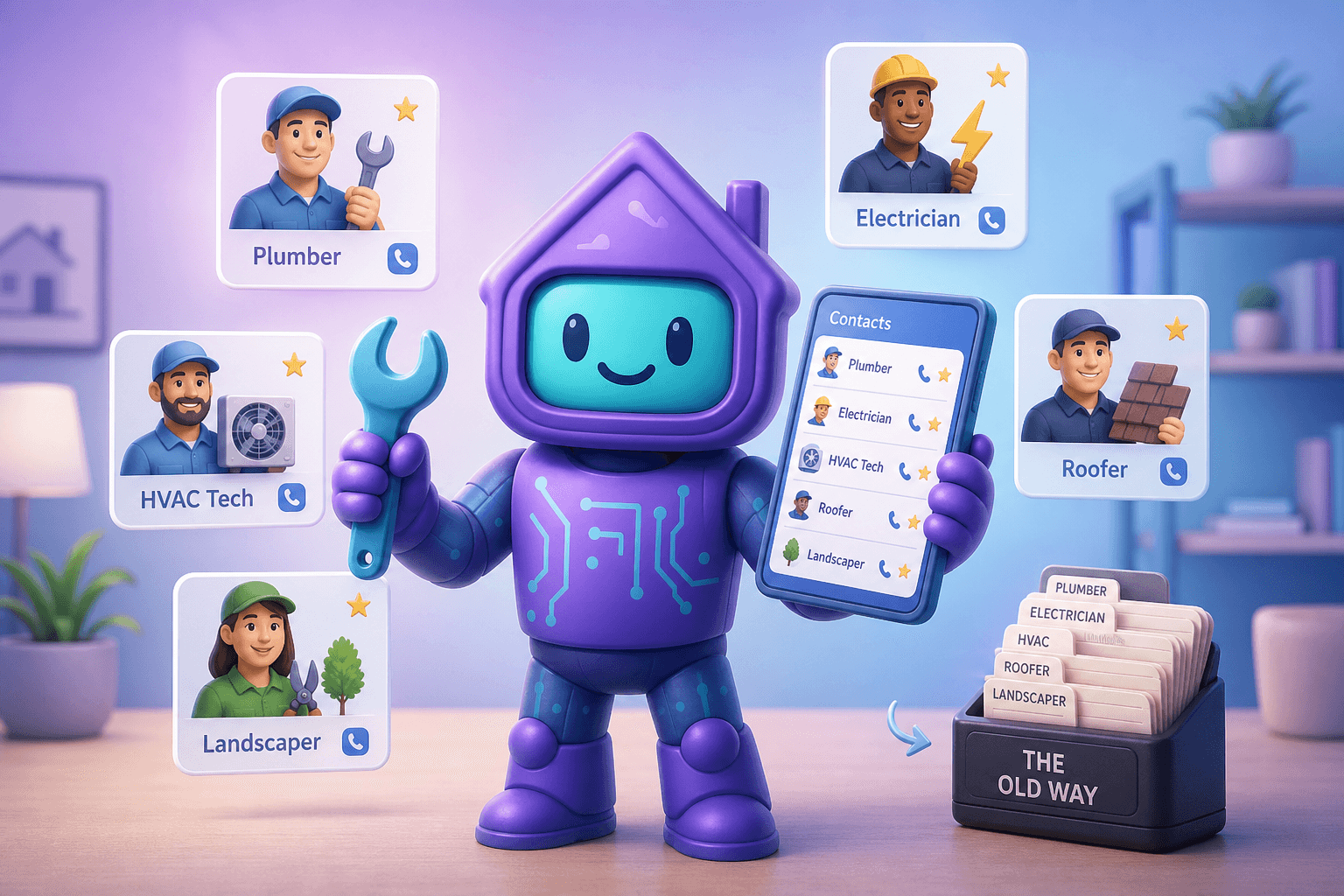
This is why every homeowner eventually wishes they had a "little black book" for their house: a single, organized list of every pro who's done good work on their property, along with what they did and when. Dib's contacts feature is exactly that, but living inside your home management app so the contacts are tied to the actual work they did.
What is a home services contact tracker?
It's an address book purpose-built for the people who keep your house running. Plumbers, electricians, HVAC, roofers, landscapers, painters, exterminators, cleaners, snow removal, handypeople, contractors. Plus the soft pros: insurance agent, mortgage broker, realtor, accountant, lawyer.
A good one captures:
- Name and company
- Phone, email, address
- License or insurance numbers (for the trades)
- What they did at your house and when
- Cost ranges from previous jobs
- Your notes ("excellent at small repairs, slow to respond to email")
- Photos of business cards, if that's the easiest way to file
Then it makes finding any of that searchable in plain English instead of by surname.
Why your phone contacts aren't enough
You probably already have most of these numbers in your phone. Here's why a dedicated tool is dramatically more useful:
- Tied to actual jobs. Phone contacts say "John Plumber." A home contact list says "John Plumber, fixed shower valve March 2024, $340, charged hourly, came on time, would call again."
- Searchable by need. Type "roof" and the roofer who patched your roof in 2023 appears. Phone contacts make you remember the person's name first.
- Shareable with your household. Your partner shouldn't have to ask you for the plumber's number at 11 p.m. The list belongs to the house, not one person's phone.
- Survives phone changes. You change phones, your house doesn't.
- Lives with your other home records. The contractor's contact info sits one tap away from the project they worked on. That's the killer feature.
How Dib's contacts feature works
Save more than just a phone number
Each contact can include name, company, phone, email, license info, insurance info, and a free-form notes field. You can also attach photos (business cards, receipts, certificates of insurance) for fast capture.
Categorize by trade
Plumbing, electrical, HVAC, roofing, landscaping, painting, cleaning, security, pest, general handyperson, and so on. Easy to find anyone by what they do, not just by who they are.
Linked to projects and items
When a pro is associated with a home improvement project or a specific repair, that link goes both ways. You see "who fixed this last time" from the appliance's page, and you see "what work this person did at my house" from their contact page.
Star or favorite your go-to pros
Tag the ones you trust most so they sit on top. A "favorites" view of your home's pros is the closest thing to a real little black book.
Notes that are honest, not performative
Internal notes you'd never say to the pro themselves. "Great work but always tries to upsell." "Pricey but reliable." "Best for small jobs, not whole bathrooms." This is for future-you, not for anyone else.
Easy to share when asked
Friends and neighbors are always asking for referrals. You can share a single contact (or a whole category) without sharing your whole home account.
Picture this
Your kitchen sink starts dripping. You think "I had a plumber out here a couple years ago for the shower, didn't I?"
You open Dib, tap contacts, filter by plumbing, and there's the plumber from that shower job. Same person. Their notes say "responsive, fair pricing, brought his own materials, would use again." Their previous job linked to the project for that shower repair. You text the number, mention the previous job, and they remember it. New job booked.
Compare to the alternative: 15 minutes of scrolling old text threads, finding three plumbers, googling reviews, calling two and leaving voicemails, picking whoever calls back. That's not how you want to spend a weeknight.
Or take a softer version: a new neighbor asks for a roofer recommendation. You share your roofer's contact card directly from Dib. Done. Roofer probably gets a job out of it, you get to be helpful with two taps, neighbor doesn't have to gamble on Yelp.
Tips for building a useful contact list
- Add a pro the day they finish a job. Easiest moment to capture name, number, what they did, and your honest impression. Wait two months and you'll forget the details that mattered.
- Snap business cards. Don't try to type them. Photo, attach, done.
- Use honest notes. "Great" and "Excellent" everywhere doesn't help future-you decide. "Good for X, not Y" is much more useful.
- Track cost ranges, not exact prices. Pros' rates change, but ballpark is gold ("usually $150 service call plus $80/hr").
- Add the trade pros your neighbors recommend. Even before you use them. A pre-vetted list is a huge head start when something breaks.
- Don't forget the soft pros. Insurance agent, accountant, lawyer, realtor. These are home-adjacent and easy to lose track of.
Frequently Asked Questions
How is this different from just using my phone's contacts app?
Phone contacts don't know that John Plumber fixed your shower in 2024 or that he came in $200 under his quote. Dib's contacts live inside your home record, tied to the actual jobs they did, the items they worked on, and the projects they were part of. It's an address book that knows your house.
Can I share my contact list with my spouse or partner?
Yes. Dib is built around shared household access. Both of you can see and add to the same list. No more "do you have the HVAC guy's number?" texts.
Will Dib actively find me contractors I don't have yet?
The contacts feature is about tracking the pros you already use or want to remember. Dib doesn't act as a marketplace or referral service. The goal is to make your real-world relationships easy to find again, not to plug you into a third-party network.
What about pros who don't want to be saved (one-time use, didn't go great, etc.)?
You can keep notes for yourself that aren't shared with anyone. "Avoid, no-show twice" is a perfectly valid contact entry that future-you will be glad to see.
Can I export my contact list?
Yes. Your data stays yours and exports in standard formats so you can move it to whatever address book or CRM you want later.
How do I connect a contact to a project or repair?
When you create or edit a project or a maintenance log entry, you can pick a contact from your list (or create a new one inline). The link goes both ways automatically.
Ready to stop losing the plumber's number?
Open Dib, add the last three pros you used at your house, and add a sentence about each. That's a useful contact list. Everything else builds from there.