
Quick mental test. Without looking, can you name:
- The last time you replaced your HVAC filter?
- When the smoke detector batteries are due?
- Whether you cleaned the dryer vent this year?
- The next time your gutters need attention?
Most of us go fuzzy somewhere between question one and question two. Not because we don't care. Because homeownership produces an absurd amount of small recurring tasks and our brains are doing other things.
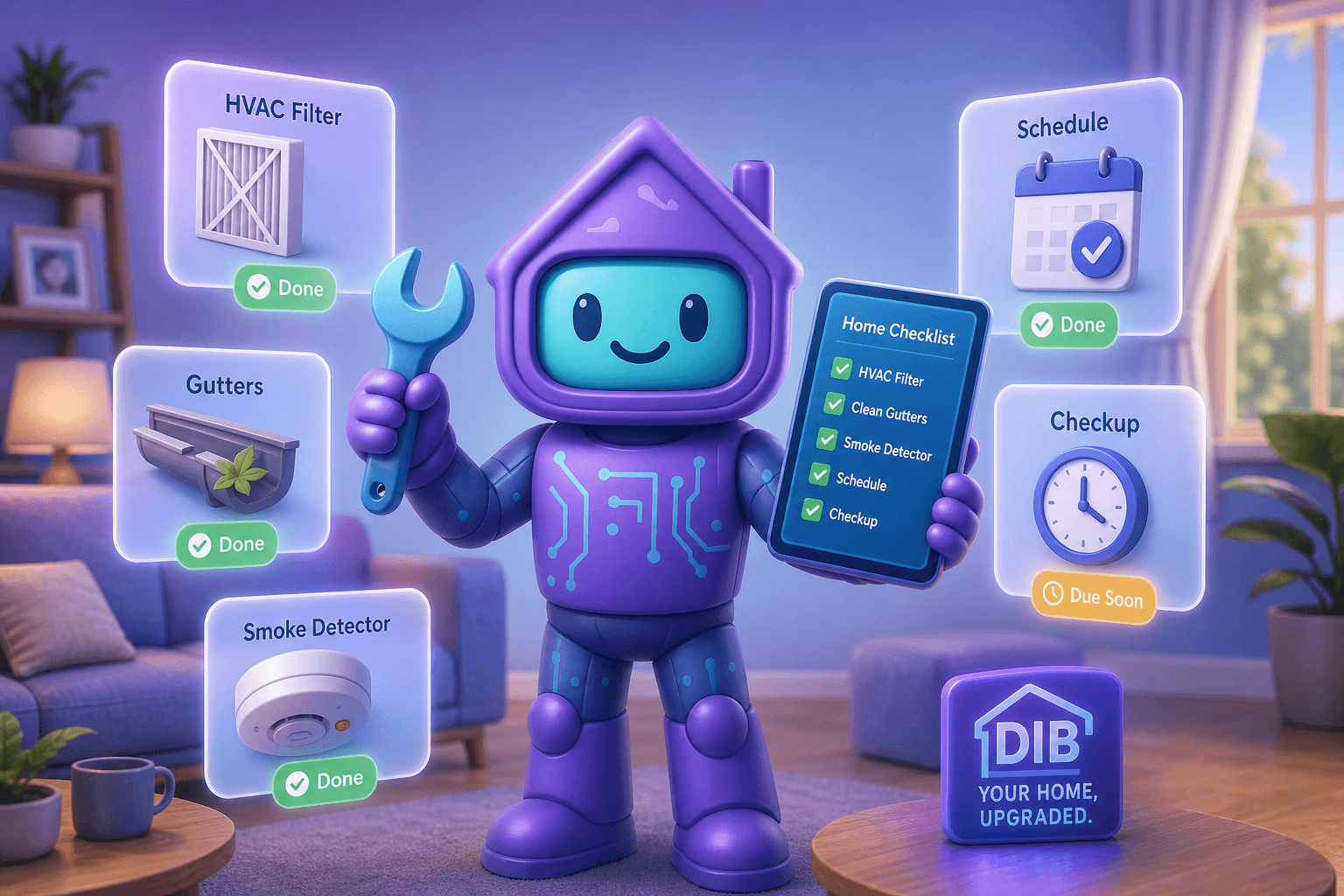
A good home maintenance reminder app fixes the memory problem without becoming another source of dread. Dib's reminders, chores, and task lists work together to nudge you about exactly the right thing on exactly the right week, then get out of your way.
What a home maintenance reminder app actually does
At its best, a maintenance reminder system does three jobs for you:
- Remembers what's due, based on your house, your equipment, and your habits.
- Tells you about it in time to actually do it, not the day it was due last week.
- Lets you log what you did so the cycle starts fresh and the proof exists later.
At its worst, it's a generic to-do app that fires off notifications you ignore until you mute them.
Dib leans hard toward the first version. Here's how it works in practice.
Why this matters more than it sounds
Skipped maintenance is the silent killer of home value, comfort, and budgets. A few of the greatest hits:
- HVAC filters. A clogged filter chokes airflow, drives up your power bill, and shortens your system's life. A 15-dollar filter prevents thousands in compressor damage.
- Dryer vents. Dryer lint fires are real and cause property damage every year. Cleaning the vent once or twice a year prevents it.
- Gutters. Skipped cleanings lead to overflowing water, rotted fascia, and basement leaks. The repair cost is many multiples of the cleaning cost.
- Smoke and CO detector batteries. This one literally saves lives.
- Smaller stuff that adds up. Water softener salt. Refrigerator water filter. Garage door lubricant. Sump pump test. Each one's tiny on its own. Together they're a part-time job.
We dug deeper into this in our preventive maintenance guide, but the short version is: small, on-time effort prevents large, surprise expense.
How Dib's reminders, chores, and tasks work together
Dib splits home upkeep into three complementary tools.
Reminders, for the recurring stuff
Set up a reminder once and it keeps showing up on the right cadence. "Replace HVAC filter every 90 days." "Test smoke detectors quarterly." "Service the furnace every fall." The reminder fires before the due date so you actually have time to handle it. When you mark it complete, the next one slides into place automatically.
Chores, for the rhythm of the week
Some stuff isn't really maintenance, it's just the operating cost of having a home. Trash to the curb. Lawn mowed. Pool chemicals checked. The chores feature handles the weekly and monthly rhythm without cluttering up your real maintenance list.
Tasks (Lists), for one-off projects and quick captures
When you walk past the squeaky door for the third time and finally say "I should oil that," it goes into a task list. When the contractor leaves a punch list. When you spot a loose deck board. Tasks are the catch-all for the stuff that isn't recurring but you don't want to lose track of.
AI-suggested schedules
You don't have to invent every reminder from scratch. Based on the appliances and equipment in your home (the inventory you've already built), Dib can suggest a reasonable starting schedule. Furnace filter every 90 days. Range hood filter every 6 months. Dishwasher cleaning monthly. Adjust to taste.
Notifications that aren't annoying
Reminders fire at a sensible lead time, not the moment they're due. You can adjust quiet hours, snooze a task that legitimately needs to wait, or batch a few tasks into one weekend.
Picture this
Saturday morning, coffee in hand. You open Dib and see three things in your "due this week" view:
- Replace upstairs HVAC filter
- Test smoke detectors (quarterly)
- Sump pump quick test
All three combined take 25 minutes. You knock them out before lunch, snap photos of the new filter and the date you wrote on it, mark each complete. Dib quietly schedules the next round. You go about your weekend without "what did I forget?" rattling around your head.
Three months from now, your insurance adjuster will appreciate that there's a documented record of smoke detector tests. Two years from now, when you sell, the printable maintenance log adds real value. Today, you just got your Saturday back.
Tips for getting more out of it
- Front-load the high-frequency stuff first. HVAC filters, water softener, refrigerator filter, smoke detectors. These cause the most pain when skipped.
- Make seasonal lists for everything else. Spring outdoor prep, fall gutter and furnace, winter pipe insulation, summer AC service. Bundling them by season turns 30 tiny reminders into 4 manageable batches.
- Snap a photo when you complete a task. It takes one second and serves as proof later.
- Share with your household. Your partner shouldn't have to ask whether the filter was changed. Shared visibility kills a surprising amount of household friction.
- Don't over-schedule. A reminder you ignore is worse than no reminder. Start sparse. Add more over time.
Frequently Asked Questions
What's the difference between reminders, chores, and tasks in Dib?
Reminders are for recurring maintenance ("replace HVAC filter every 90 days"). Chores handle the weekly and monthly rhythm of living somewhere ("take out trash"). Tasks are the catch-all list for one-off projects, punch lists, and quick captures. You can use all three or just one, whatever fits your style.
Will Dib really suggest the right schedule for my home, or do I have to figure it out myself?
Once you've added your major equipment to your inventory (furnace, dishwasher, water heater, and so on), Dib can suggest a reasonable starting schedule based on typical manufacturer recommendations. You can adjust any of it. Think of the suggestions as a head start, not a contract.
Can my partner or roommate see the same reminders?
Yes. Dib is built around shared household access. Everyone in your home can see the same reminder list, mark tasks complete, and avoid the "wait, did you do that, or did I?" loop.
What happens if I miss a reminder?
Nothing bad. The reminder stays in your list until you mark it done. You can also let Dib roll it forward to the next reasonable date if life got in the way. No streaks to break.
Does Dib send notifications outside the app?
Yes, through standard push notifications on your phone and optional email digests. You control the channels and quiet hours.
Is this useful for renters too?
Renters often have plenty of upkeep on the apartment side (filters, smoke detectors, plant watering, garbage day, lease renewal dates) and on the personal-property side (car maintenance, electronics warranties, subscription renewals). Reminders aren't only for homeowners.
Ready to outsource the remembering?
Set up your first three reminders today. Two minutes of setup, infinite weekends of not wondering whether you forgot something important.