
Quick: what did you pay for electricity last month? How about water? Did your internet bill go up at the start of the year? Is your gas usage tracking higher than last winter or about the same?
Almost nobody can answer all of that without logging into separate portals. Which is exactly why most of us only notice utility costs in two situations: when the autopay charge hits an uncomfortable number, or when a bill is dramatically wrong and we panic.
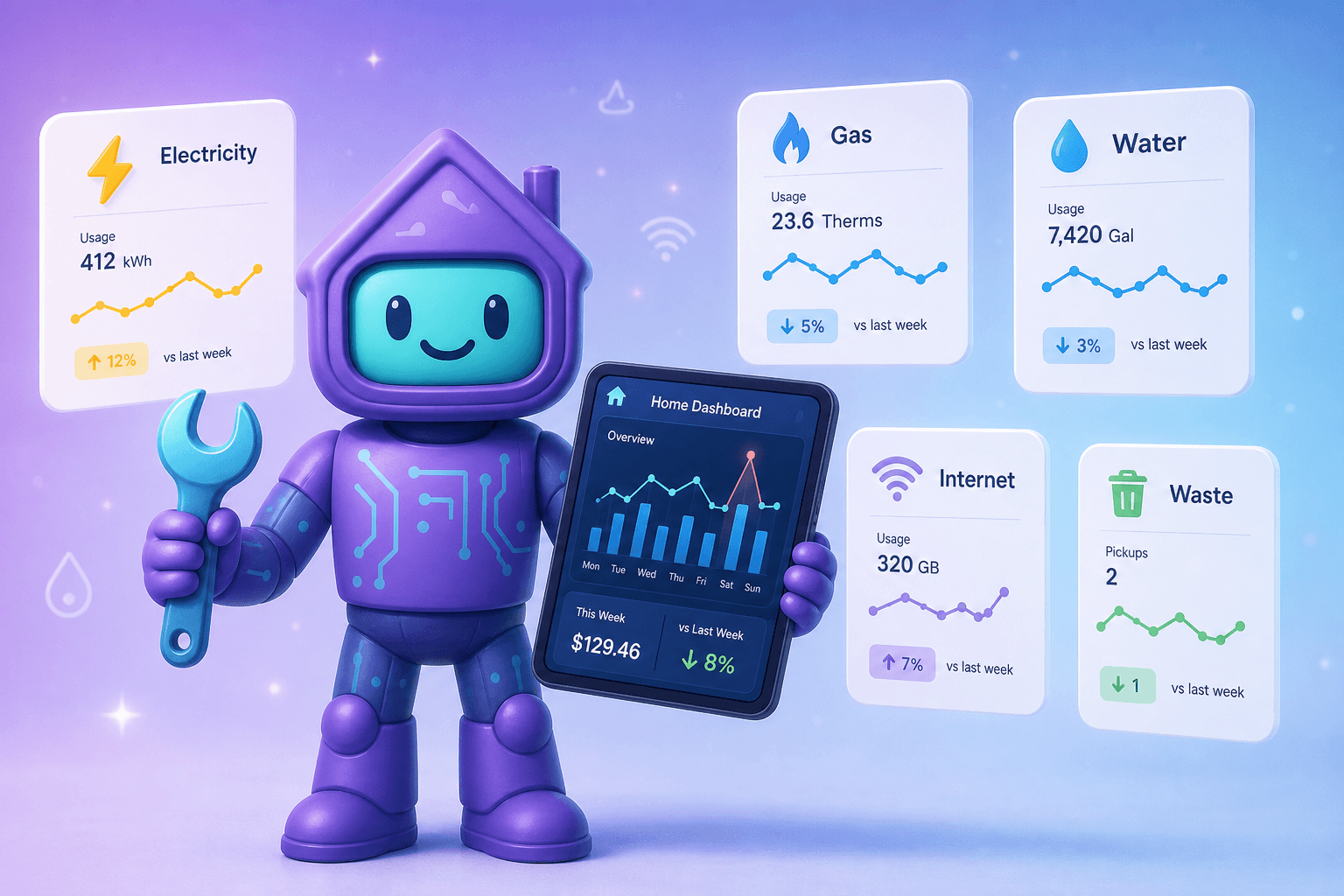
A utility bill tracker fixes that visibility problem. Dib's utilities feature pulls all of your home's utilities into one tidy view: who the provider is, what you pay, how that compares to last month, and when each bill is due. No more "I'll log into the power company portal someday."
What is a utility tracker?
At its simplest, it's a list of every utility account tied to your home, with the account number, provider name, due date, current and historical cost, and any notes you'd want to remember. The better ones go further:
- Track monthly usage, not just cost (kWh, therms, gallons)
- Show trends month over month and year over year
- Flag bills that look off compared to baseline
- Store the contracts (especially internet, security, solar lease, propane delivery) so you know your terms
Dib's utilities tracker is designed around the idea that you should be able to glance at your home's utility picture in under 30 seconds, then dive deeper only when something looks off.
Why this is worth the small effort
Skipping utility tracking is normal. It's also expensive in ways that compound:
- Silent rate hikes. Internet and electric providers love quiet rate creep. The same plan you signed up for at $79.99 is somehow $124.99 three years later. You'd notice in a tracker. You don't notice on autopay.
- Unexpected usage spikes. A running toilet adds 200 gallons a day. An attic that's gone uninsulated for two winters costs you several hundred dollars a year. A failing fridge or water heater spikes electric use. None of these show up unless you watch the trend.
- Mistaken bills. Utility billing errors are more common than people think. Without history, you don't have grounds to dispute.
- Negotiation leverage. Calling internet support to negotiate is much more effective with "I'm paying X, the new customer rate is Y" in front of you.
- Tax and rebate paperwork. Solar credit, EV charging rebates, energy efficiency programs all sometimes want utility records. Having them organized helps.
Even saving a few percent per year across your home utilities pays for the time you'd spend setting this up many times over.
How Dib's utilities tracker works
Every utility, one home
Electric, gas, water and sewer, trash and recycling, internet, cellular if you want, security monitoring, propane, oil, solar, and anything else that gets billed monthly. Each has its own card with the provider, account number, due date, recent cost, and contract details where relevant.
Capture bills the way that's easiest
Snap a photo of a paper bill. Forward an emailed bill. Manually log the cost and usage from a portal. Dib reads what it can with AI and saves the rest. Building history is meant to be passive, not a chore.
See trends without staring at a spreadsheet
Each utility shows a clean trend: month over month, season over season, year over year. You'll spot a strange spike in seconds. You'll also see when a month is genuinely normal so you can stop worrying.
Stores the boring but important paperwork
Internet contract, security monitoring agreement, propane delivery agreement, solar lease or PPA, even the rate-plan PDF from the electric company if you want to be that organized. All in the documents vault, tied to the utility it belongs to.
Due-date reminders
Even if you're on autopay, reminders are useful when a payment is about to hit and you want a heads-up. They're even more useful for utilities you don't autopay (propane refill, septic pumping, well service).
Picture this
It's the end of January and you notice the power bill is double what it was in January last year. You used to just shrug. Now you open Dib.
The utilities trend shows it clearly: the spike started in October. Before October, electricity tracked the seasonal pattern from prior years. After October, it climbed about 40% above baseline and stayed there.
October is when the old basement freezer started its quiet decline. The freezer's working, sort of, but it's running constantly. Replacing it costs less than two months of the elevated power bills it's been quietly causing.
Without the tracker, you might have lived with the freezer for another year, paying for it the whole time. With the tracker, you saw the trend and acted in 10 minutes.
Same idea applies to a leaking toilet (water spike), aging HVAC (gas and electric), and stealth rate hikes on internet (the cost line just keeps inching up).
Tips to get more out of it
- Start with the three biggest: electric, gas, water. The rest can wait.
- Forward bills to Dib by email instead of logging in to a portal every month. Bills come to your inbox, you forward, you're done.
- Log usage, not just dollars. A bill going up because of a rate change is different from a bill going up because of usage. The split helps you act.
- Photograph paper bills the moment they arrive. Then recycle. The data lives in Dib.
- Set a yearly "renegotiate" reminder for internet and home security, the two industries that quietly raise prices most.
- Pair this with home improvement projects. Insulation, new windows, and new HVAC should show up as a clear "before vs after" in your utility history.
Frequently Asked Questions
Does Dib connect directly to my utility companies?
Dib doesn't try to log into your utility accounts on your behalf. The reliable patterns are forwarding emailed bills, photographing paper bills, and quick manual entry from a portal. Direct connections are messy because utility company portals change constantly. The simpler patterns work and don't break.
Can Dib read my bill automatically?
Yes. When you upload a bill PDF or photo, Dib extracts the cost, usage (where applicable), provider, due date, and account number using AI and OCR. You confirm and save. It's much faster than typing.
What if I'm a renter and only pay some utilities?
Track only the ones you pay. Dib doesn't require a "full house" view. A renter tracking just internet and electric still gets the trend visibility, the rate-creep alerts, and the document storage.
Will Dib find me cheaper utility plans?
Not directly. The utilities feature is a tracker, not a marketplace. That said, having clear cost and usage data is exactly what you need to shop around effectively, and Dib makes it easy to share or export the data when you call to negotiate.
Does this work for shared homes (roommates, family members)?
Yes. Dib is built around shared household access. Everyone in the home can see and contribute to the same utility records, which is much better than one person being the sole keeper of bill info.
What about water and septic if I'm on a well?
Track them the same way. The "bill" might be a yearly service or a propane-style delivery rather than a monthly utility, but the structure is the same: provider, cost, history, and any contracts.
Ready to see what you're actually paying?
Add your top three utility accounts to Dib this week. Forward (or photograph) this month's bill for each. By the end of next month you'll have your first trend, and the visibility starts paying off immediately.