

Almost every home inventory dies the same death. You sit down full of energy, open a spreadsheet, and try to list "everything in the house" as one big task. Around item number 12, your brain realizes this is going to take 47 hours. You close the laptop. You never reopen it.
There's a better way, and it's almost embarrassingly obvious. Inventory your house the way you actually live in it: room by room. One room at a time. Whichever room is most convenient or highest stakes that day. No spreadsheet.
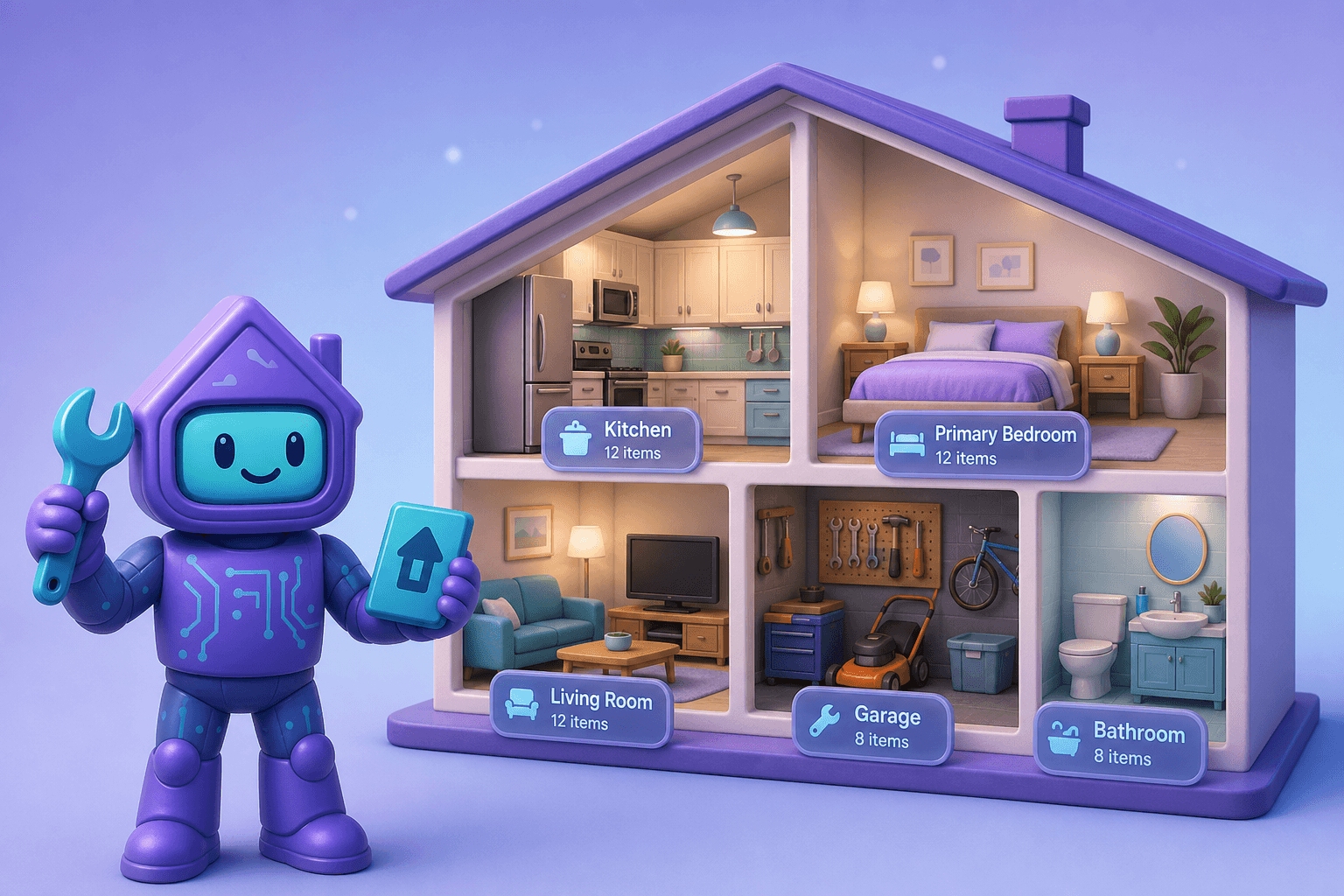
Dib's Rooms and My Home features are built around this approach. You set up your home as a collection of actual rooms, then drop items into the rooms they live in. Browsing your inventory feels like walking through your house, not like reading a giant flat list.
What "room by room" inventory really means
Two ideas tucked into one phrase:
- You build the inventory in room-sized chunks, not all at once. One Sunday morning, the kitchen. Another evening, the garage. The bedrooms whenever you have 20 minutes.
- You browse the inventory by room afterwards. The bedroom view shows everything in the bedroom. The garage view shows everything in the garage. You navigate by location, the way your memory actually works.
This second part matters more than people realize. When something breaks or you need to file a claim, you don't think "I need to find the dishwasher entry in my flat inventory." You think "I'm in the kitchen, what's in here?" Matching the inventory to the way your brain already groups things saves time on the back end too.
Why this approach finishes the job
Most inventories fail because the project feels too big. Going room by room cuts the project into pieces you can actually finish in one sitting:
- Kitchen: appliances, small appliances, cookware worth tracking. 20 minutes.
- Living room: TV, AV gear, furniture worth replacing, art. 15 minutes.
- Primary bedroom: mattress, furniture, electronics, jewelry. 15 minutes.
- Office: computers, monitors, desks, chairs, peripherals. 20 minutes.
- Garage: tools, lawn equipment, sports gear, bikes. 30 minutes.
Each room is its own win. You don't have to finish the whole house to start feeling the benefits. After two rooms you already have proof of ownership for thousands of dollars of stuff. That's a real result, not a half-done project.
Pair this with Smart Add, and a single 20-minute pass through a room can capture more useful data than most people have on their entire home.
How Dib's Rooms and My Home features work
My Home: your house as a graph of rooms
My Home is where you describe your home as a layout: kitchen, living room, primary bedroom, kids' room, basement, garage, back deck, shed, attic, whatever you have. You can use Dib's defaults for a typical house or add unusual spaces (boat slip, casita, RV bay) the same way.
Items live in rooms
Every item you add can be tagged to a room. That tag is the magic. It powers room-by-room browsing, room-specific reports, and "show me everything in the garage" filters.
Browse by room or by category
Once items live in rooms, you can flip between views. The kitchen view shows everything in the kitchen. The "all appliances" view shows your appliances across every room. Both are one tap away.
Multi-floor and multi-building support
Got a basement and a detached shed? An ADU above the garage? A vacation place? Dib handles multiple floors, multiple buildings, and multiple homes under one roof (so to speak).
Rooms travel with you
When you move, you don't lose your inventory. You re-map items to the new rooms in your new home. The history of what you own, what it cost, and how it's been maintained moves with you.
Picture this
It's Saturday morning. Coffee is brewing. You decide today is "garage day."
- Open Dib, tap My Home, tap Garage.
- Walk around with your phone. Snap stickers on the lawn mower, snow blower, leaf blower, weed whacker, generator. Smart Add fills in the brands, models, serials.
- Photograph the bikes. Add quick entries for each. Bonus points for serial numbers (handy if one gets stolen later).
- Open the tool cabinet, snap one photo. Smart Add separates out the drill, the saw, the impact driver, the random tools.
- Note the workbench and the table saw, because those are worth claiming on insurance.
35 minutes later you've inventoried your garage. Coffee's still warm. You haven't done anything else for the day, and that's fine. The kitchen can wait until next weekend. The garage is done.
Compare that to "today I'm going to inventory the whole house," which would have ended with you on the couch by item number 10. The trick is finishing one room at a time.
Tips for room-by-room success
- Start with the room you'd most regret losing. Kitchen, primary bedroom, garage, or office. Highest stakes first, momentum follows.
- Use Smart Add aggressively. Most stuff has stickers. Photographing them is dramatically faster than typing. Save the manual entry for items without labels.
- Don't perfect each room before moving on. A 90% complete room is much more valuable than a 100% complete room that never happened.
- Photograph the room itself once you're done. A wide shot of the whole space ties the inventory to a visual record. Especially useful for insurance.
- Loop in your household. Different people use different rooms differently. Your partner might remember things in the kitchen drawer that you'd never list.
- Pair with the reminders system. Each room's items get linked to their own upkeep schedule automatically.
Frequently Asked Questions
Do I have to set up every room before I can add items?
No. You can add items first and assign rooms later, or create rooms as you go. Dib's flexible. Most people set up the rooms they care about right up front (kitchen, living room, bedroom, garage) and then add more rooms as they think of them.
What about closets, drawers, and shelves? Do those become "rooms"?
They can be sub-locations within a room if you want that level of detail, but most people don't need it. A "kitchen" room with a dozen items tagged "in the pantry cabinet" is more than enough for insurance and day-to-day use.
Can I use this for renters who don't own the building?
Absolutely. The rooms are about where your stuff lives, not who owns the walls. Renters' inventory is just as important as homeowners' inventory, especially for insurance claims after burglary or fire.
How does this handle a basement or detached garage?
Same as any other room. You can also group rooms by building or floor if you want (main house, garage, shed, ADU). The system doesn't care how your physical space is shaped.
What happens to my room layout when I move?
You can either remap your existing items to your new home's rooms, or set up the new home fresh and keep the old one as a snapshot. Most people remap because it preserves all the maintenance history and warranty info tied to each item.
Is room-by-room overkill for renters or small apartments?
Not at all. A studio apartment might have three "rooms" (main area, kitchen, bathroom). The same logic applies: it's faster to inventory in one focused pass per room than to try to list everything at once.
Ready to inventory just one room?
That's the whole challenge. Pick one room. Spend 20 minutes. Walk through with your phone. See how much you actually capture. The next room can wait.